
🧵 How to Create an Account and Sign In on Embroideres.com
👁 32 views
How to Register and Sign In to Your Account
This guide explains how to create a new account and sign in to your existing account on Embroideres.com.
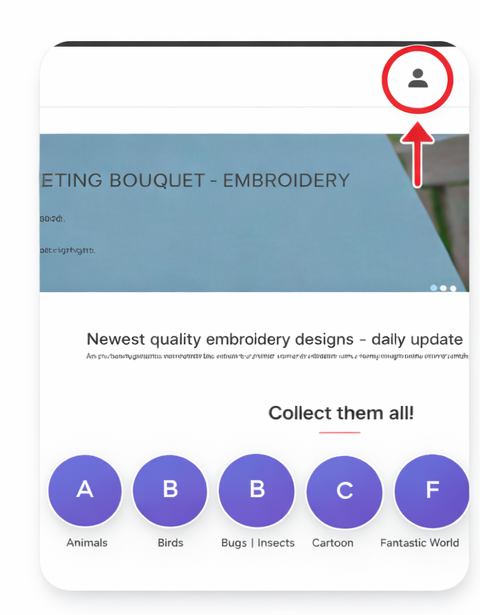
Step 1: Go to the Homepage
What to do:
-
Open the website homepage.
-
Click on the Account icon in the top-right corner.
Step 2: Sign In to Your Account
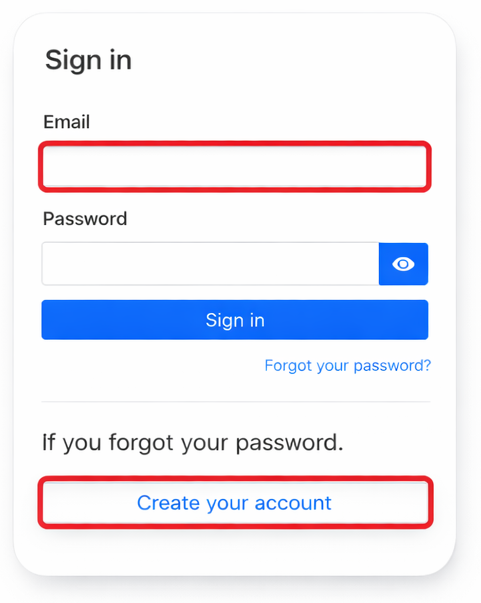
If you already have an account:
-
Enter your Email address.
-
Enter your Password.
-
Click Sign in.
If you forgot your password, click Forgot your password?
Step 3: Create a New Account
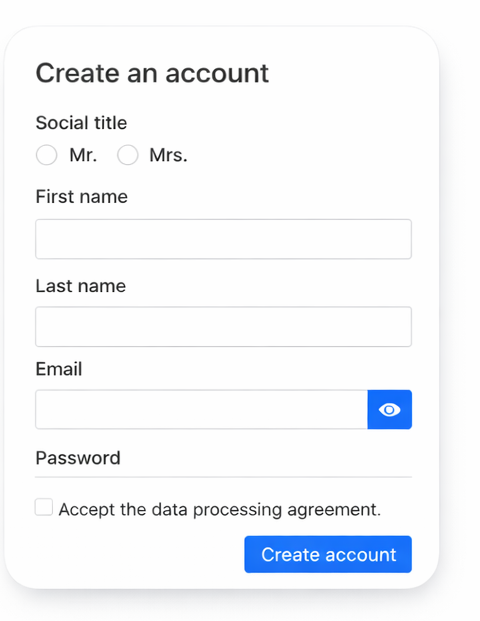
To create a new account:
-
Select your Social title (Mr. / Mrs.)
-
Enter your First name
-
Enter your Last name
-
Enter your Email
-
Create a Password
-
Accept the data processing agreement
-
Click Create account
Important Notes
-
Use a valid email address — your orders and downloads will be linked to it.
-
Choose a secure password.
-
After registration, you will be automatically logged in.
Was this article helpful?